OwnCloud Maintenance
This chapter is special guide for OwnCloud maintenance and settings. And you can refer to Administrator and Steps after installing for some general settings that including: Configure Domain, HTTPS Setting, Migration, Web Server configuration, Docker Setting, Database connection, Backup & Restore...
Maintenance guide
OwnCloud online backup
This section provides OwnCloud online backup solution
- Log in OwnCloud console as administrator, install OwnBackup
- Go to【Admin】>【OwnBackup】, start backup
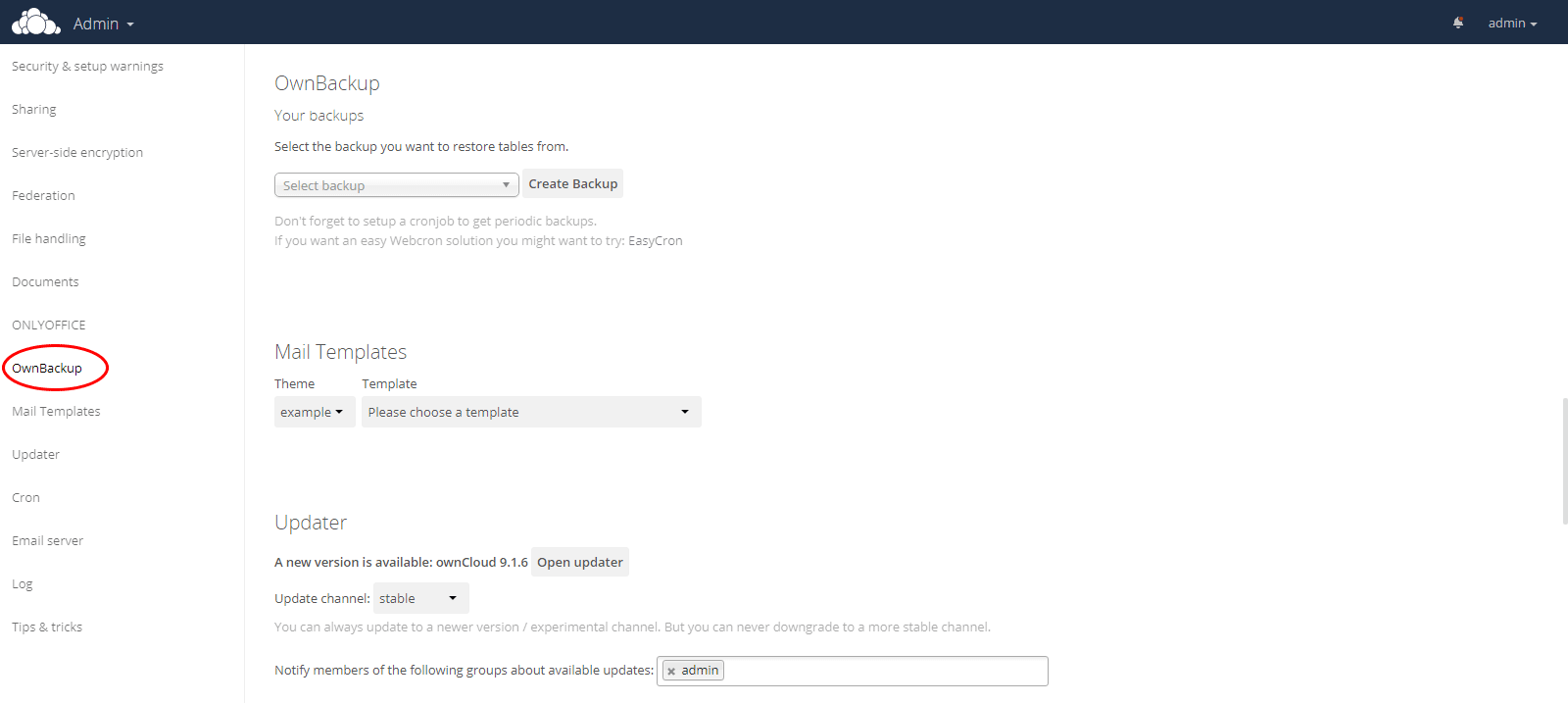
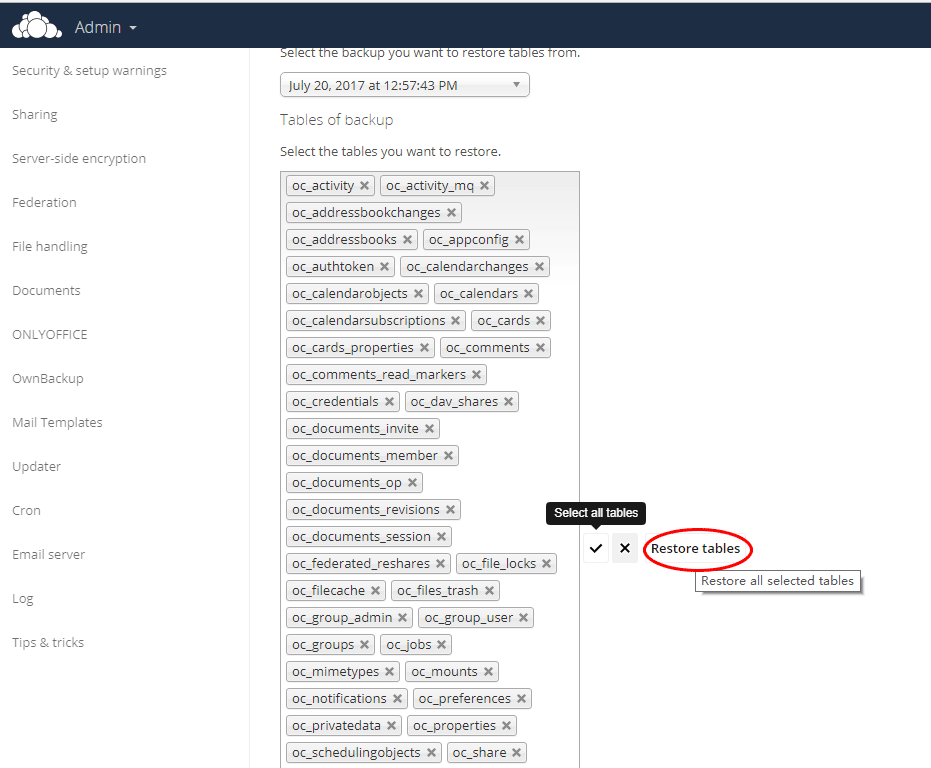
- You can restore it also
OwnCloud Upgrade
OwnCloud provides a very user-friendly upgrade (update) portal, which can complete the update of the main version and APP plug-in according to the update prompt of the system.
Plugin Upgrade
- After logging in to OwnCloud, see if there is an update notification in the upper right corner. if so, please click on the update entry in it.
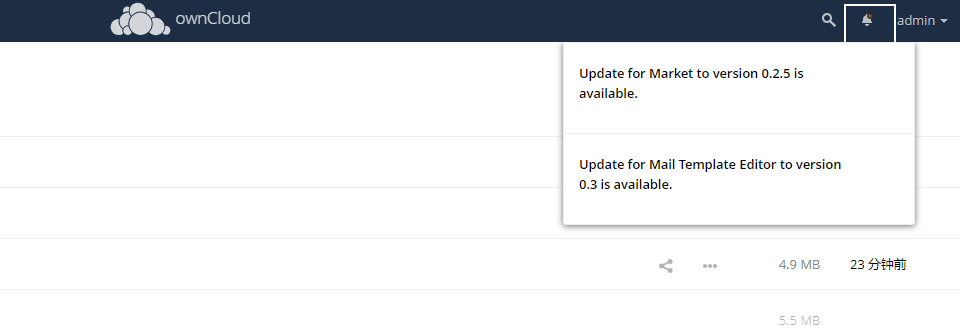
- After clicking on the update entry, enter the update interface.
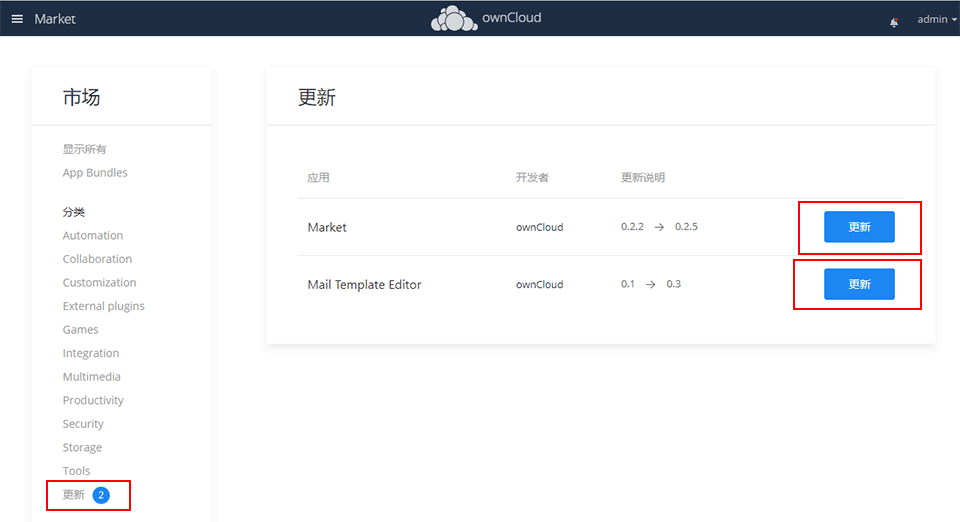
- Click the "update" button and the system goes to "update" and wait patiently for the update
- When all updates are completed, the update list shows "all apps are up to date"
If there is a problem with the upgrade process, such as: unable to download the upgrade package/no read and write permissions, make sure that the network is connected/OwnCloud Directory has read and write permissions
Master Program Upgrade
- Once have upgrade message "OwnCloud is available". Get more information on how to update.", you should upgrade it now
- Go to 【Admin】>【Setting】
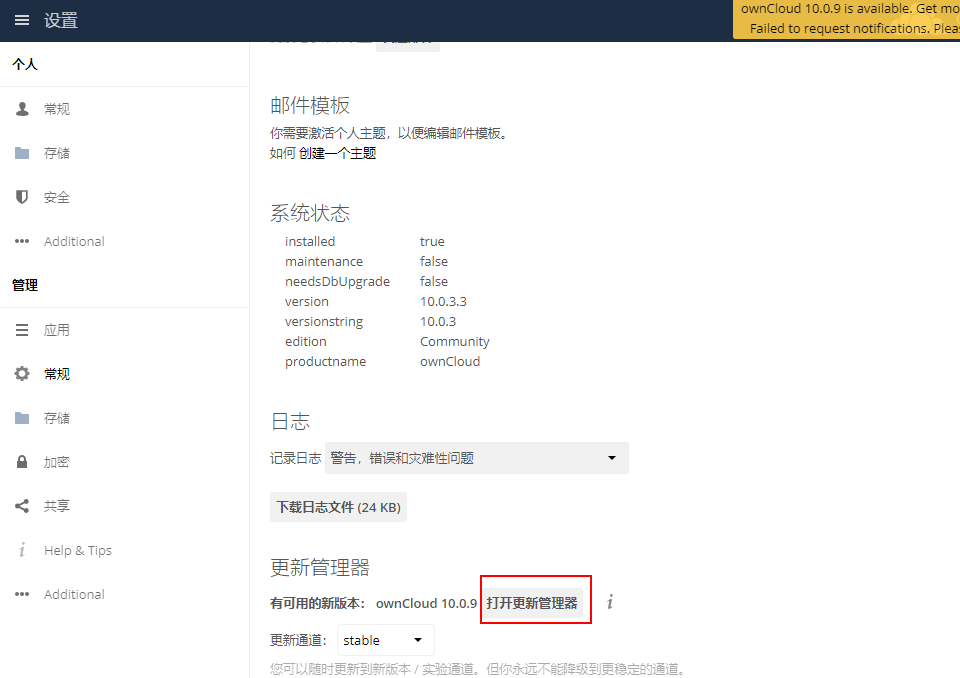
- Go to Updater
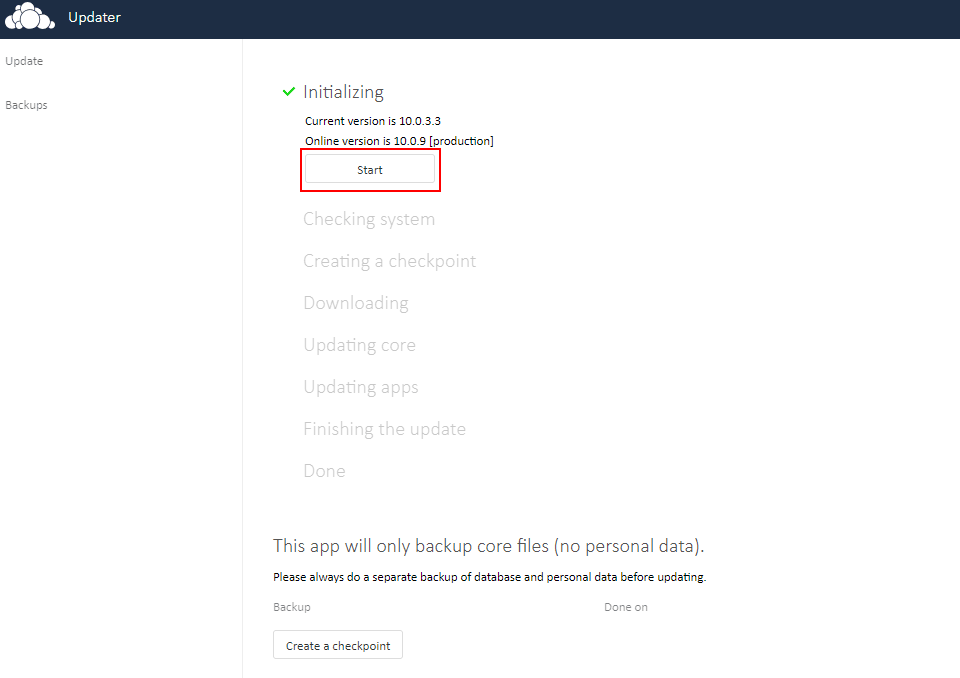
- Click the button "Create a checkpoint" first
- Click the button "Start"
Troubleshoot
In addition to the OwnCloud issues listed below, you can refer to Troubleshoot + FAQ to get more.
After the domain configuration, find page layout confusion or the picture cannot be displayed?
This problem occurs if you install through IP, and then bind the domain name. To solve it, please change the IP address to the domain name in Nextcloud Confuguration file.
FAQ
OwnCloud support multi-language?
Yes.
Does OwnCloud provide a client?
Yes, includes: Nextcloud Desktop Client, Nextcloud Android App, Nextcloud iOS App
How can OwnCloud view & edit file online?
You should complete the OnlyOffice setting on your Nextcloud.
OwnCloud can integrate external storage?
Yes.