Oracle Getting Started
Oracle Database offers market-leading performance, scalability, reliability, and security.

If you have installed Websoft9 Oracle, the following steps is for your quick start
Preparation
-
Get the Internet IP of your Server on Cloud
-
Check your Inbound of Security Group Rule of Cloud Console to ensure the TCP:80 is allowed
-
Connect your Server and get default username and password of Oracle
-
Complete Five steps for Domain if you want to use Domain for Oracle
-
If you want to enable Oracle Database Enterprise or Standard, you should complete the below steps:
-
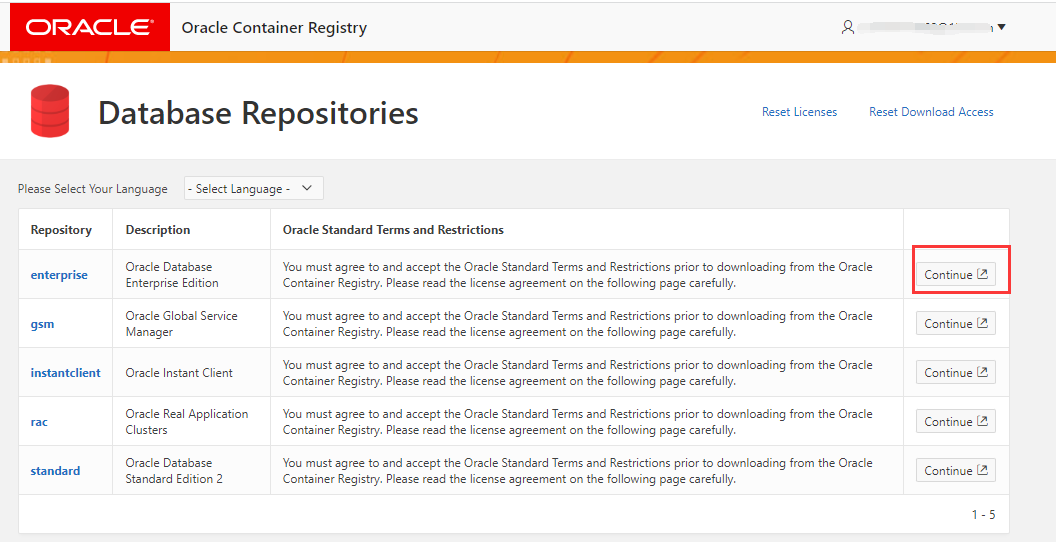
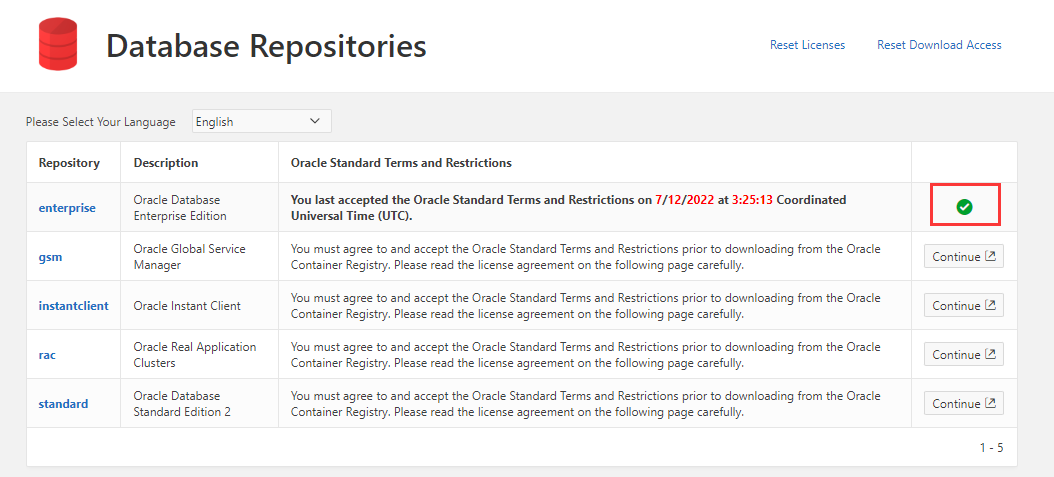
Login to Oracle Database Repositories and accept Oracle Standard Terms and Restrictions
-
Connect your Server and run the below commands to run Oracle Database by yourself.
cd /data/apps/oracle
docker login container-registry.oracle.com/database/enterprise
docker compose up -d
Oracle Initialization
Steps for you
-
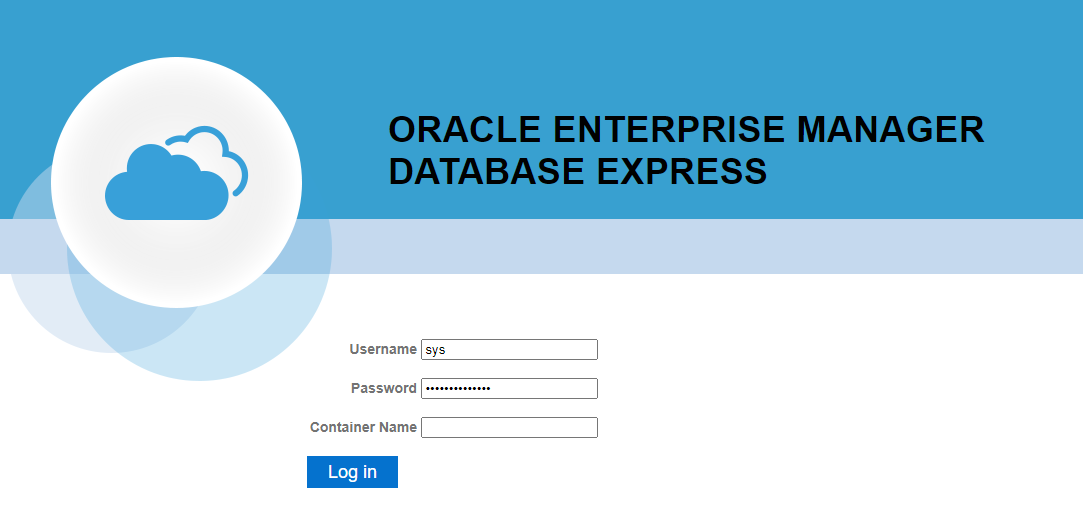
Using local browser to visit the URL
<https://Server's Internet IP:5500/em>, you will enter Oracle EM login pageURL must use https
-
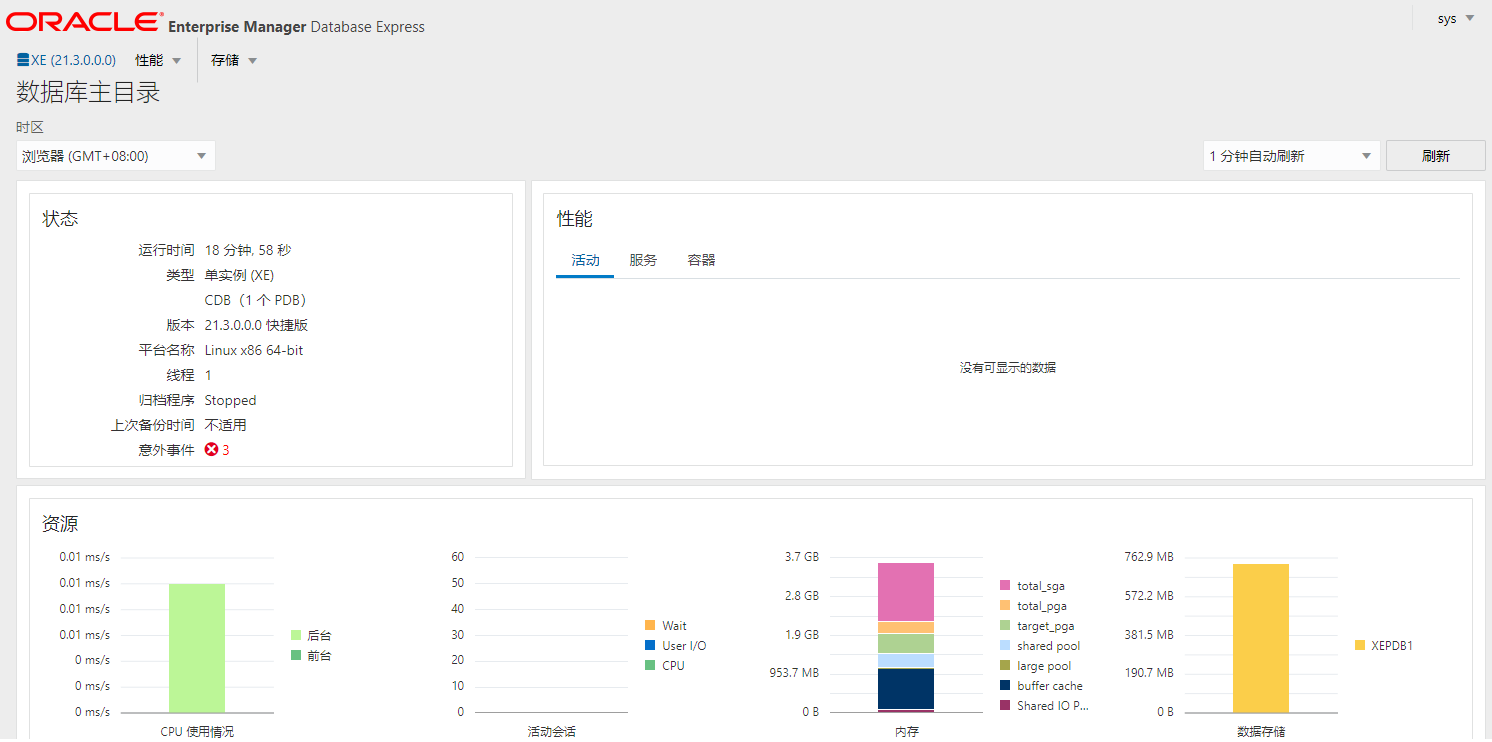
Input your Oracle Database credential(Don't have password?) and login it successfully
-
When you can see Oracle EM, it means you Oracle instance is running.
-
Then you can use sqlplus by below commands
sudo docker exec -it oracle bash
sqlplus SYS  AS SYSDBA
Having trouble?
Below is for you to solve problem, and you can contact Websoft9 Support or refer to Troubleshoot + FAQ to get more.
Oracle QuickStart
This task Create new table is for your Oracle QuickStart
-
使用 CloudBeaver 连接 Oracle 数据库
-
创建一个数据表
-
向数据表中增加内容
-
查看新增的数据
Oracle Setup
Oracle Remote access
应用自身已经开启远程访问,只需在云控制台安全组启用 TCP:1521 端口即可。
Reset Oracle password
忘记管理员密码时,运行下面的命令重置密码:
docker exec -it oracle ./setPassword.sh <your_password>
Get SID Or Servce Name
-
进入 sqlplus
docker exec -it oracle sqlplus / as sysdba -
运行查询实例信息的 SQL 命令,instance_name 即所需的信息
SQL> show parameter instance

NAME                                 TYPE        VALUE
------------------------------------ ----------- ------------------------------
active_instance_count                integer
instance_abort_delay_time            integer     0
instance_groups                      string
instance_mode                        string      READ-WRITE
instance_name                        string      XE
instance_number                      integer     0
instance_type                        string      RDBMS
open_links_per_instance              integer     4
parallel_instance_group              string
Oracle Clients
Oracle Database 支持多种客户端,有第三方工具,也有官方工具。
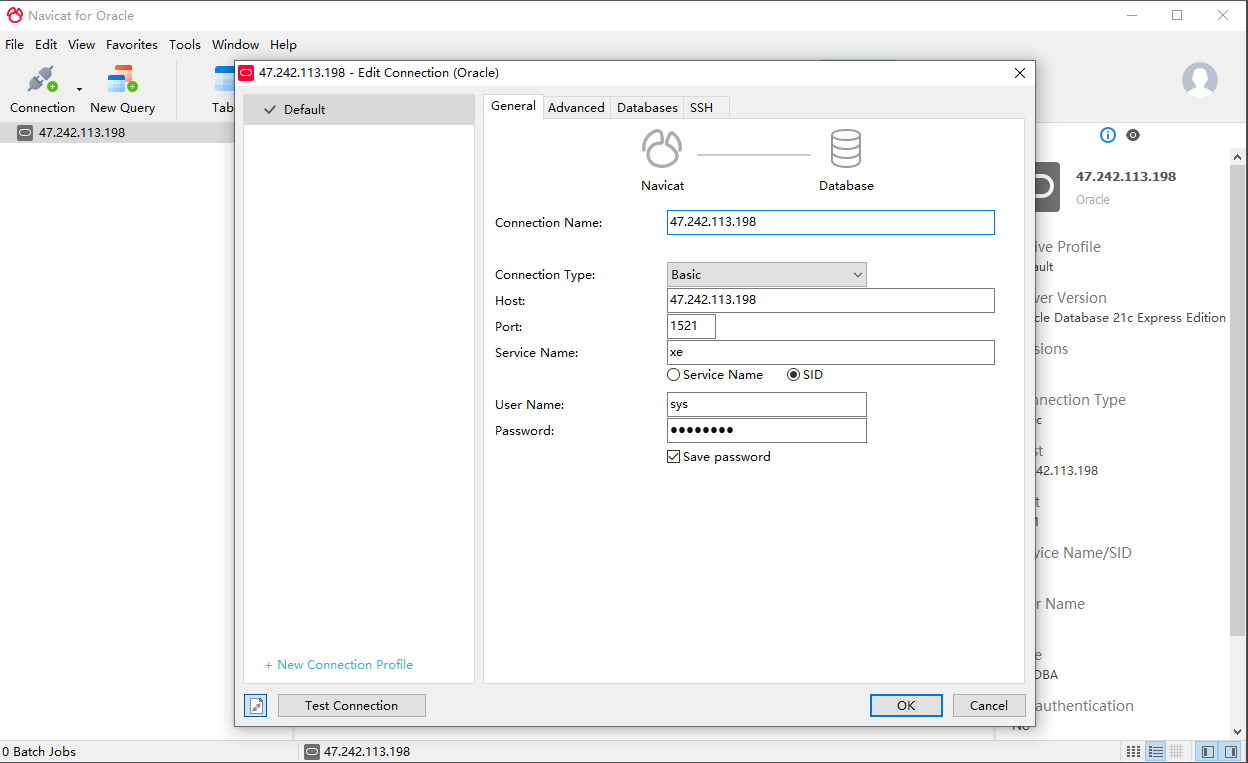
连接客户端所需的主要连接信息如下:
- 用户名: sys
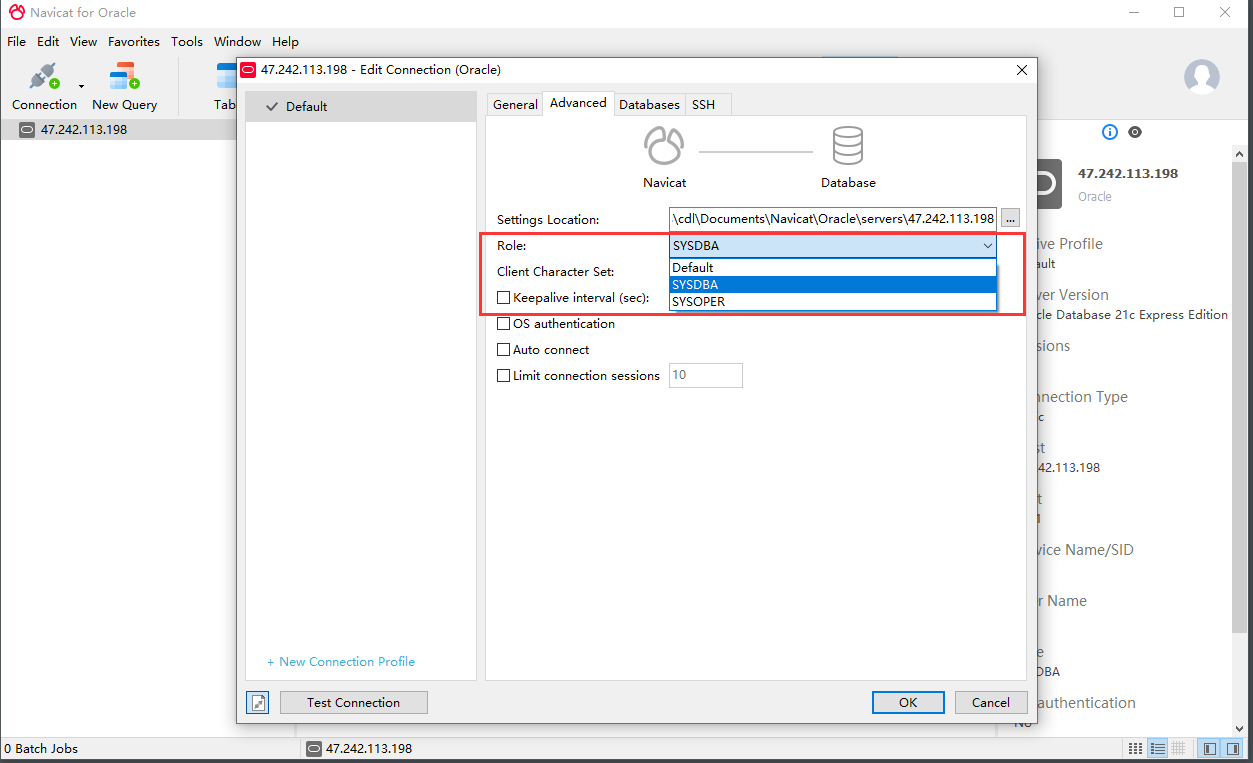
- Role:SYSDBA
- Port: 1521 或 其他自定义的端口
- 服务名称或 SID
Web Based client: CloudBeaver
-
本地浏览器访问:
http://服务器公网IP:9090,访问 CloudBeaver -
新建一个 Oracle 数据库连接
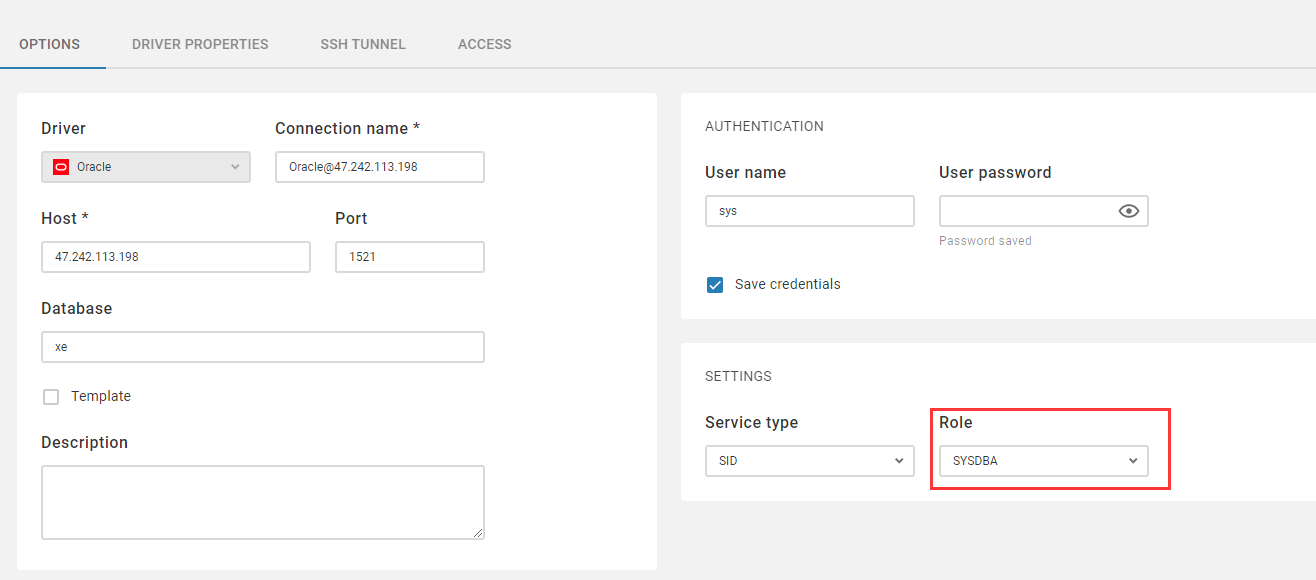
-
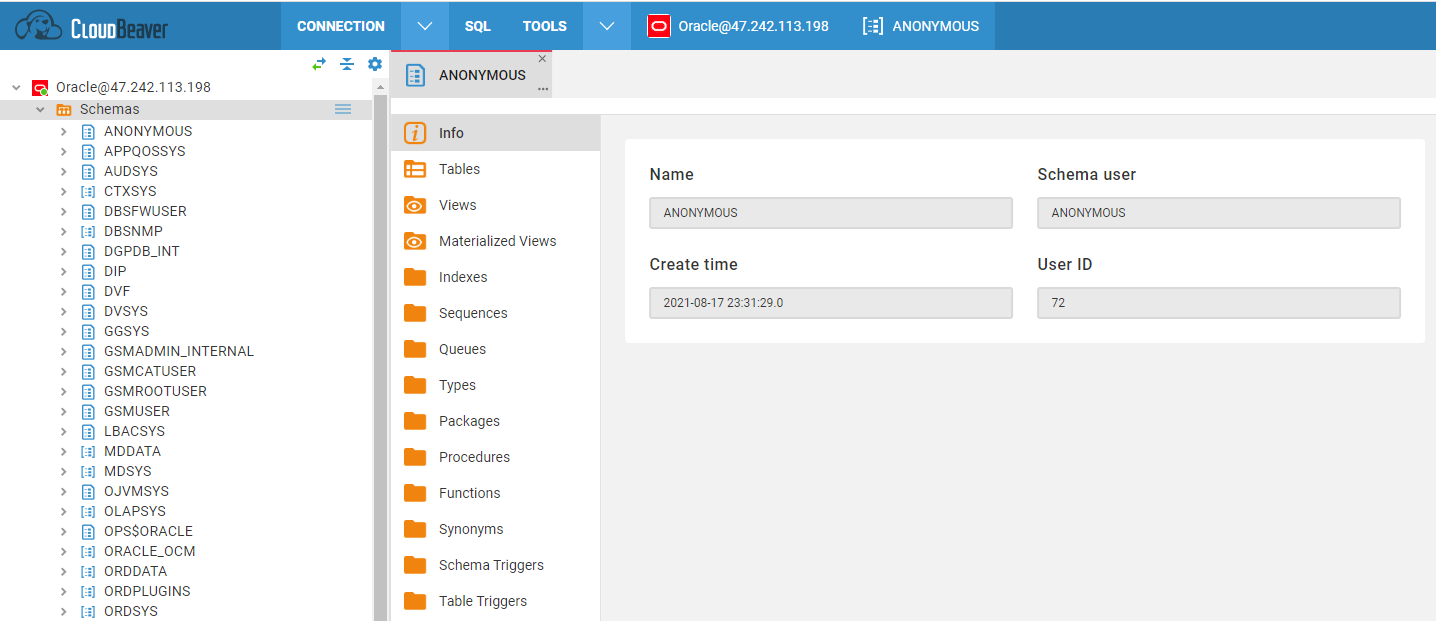
连接成功的界面
Local GUI client: Navicat
-
下载并安装 Navicat for Oracle
-
新建一个 Oracle 数据库连接,主要参数说明:
-
连接成功后的界面
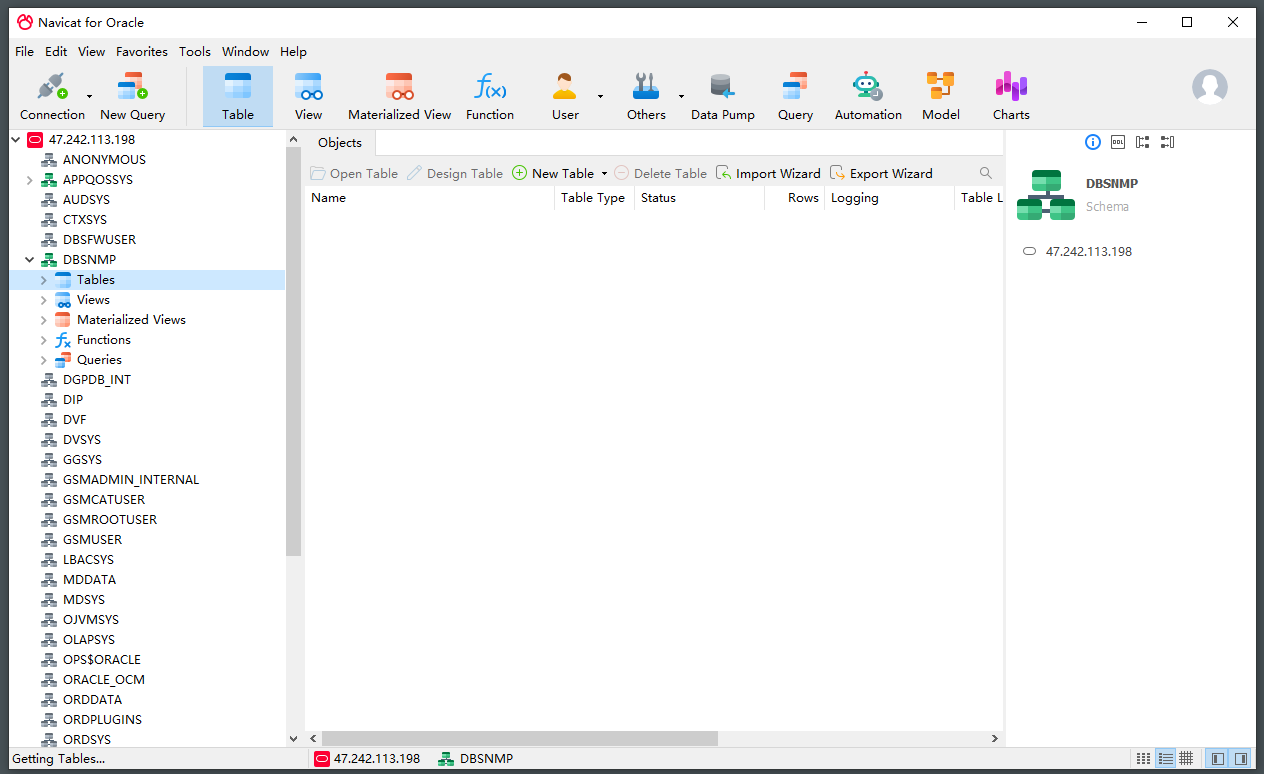
Command line client: SQL*Plus
SQL*Plus 是官方提供的命令行客户端,运行下面的命令即可进入 SQLPlus 的操作模式:
docker exec -it oracle sqlplus / as sysdba
Local develop client: SQL Developer
SQL Developer是 SQL*Plus 的图形版本,用 Java 编写,支持 SQL 和 PL/SQL 开发。您可以使用标准数据库身份验证连接到任何 Oracle 数据库模式。
Web develop client: APEX
APEX 是用于 Oracle 数据库的 Web 应用程序开发工具。
Reference sheet
The below items and General parameter sheet is maybe useful for you manage Oracle
Run docker ps, view all containers when Oracle is running:
CONTAINER ID   IMAGE                                                   COMMAND                  CREATED        STATUS                 PORTS                                                                                                                                                      NAMES
0bd5dabde1ff   container-registry.oracle.com/database/express:latest   "/bin/sh -c 'exec $O…"   19 hours ago   Up 3 hours (healthy)   0.0.0.0:1521->1521/tcp, :::1521->15                                                                    21/tcp, 0.0.0.0:5500->5500/tcp, :::5500->5500/tcp   oracle
e8214ddd441c   dbeaver/cloudbeaver:latest                              "./run-server.sh"        2 hours ago    Up 2 hours             0.0.0.0:9093->8978/tcp, :::9093->89                                                                    78/tcp                                              cloudbeaver
Path
Oracle configuration file: /data/apps/oracle/dbconfig
Port
In addition to common ports such as 80, 443, etc., the following ports may be used:
| Port | Use | Necessity |
|---|---|---|
| 1521 | Oracle Database Server | Optional |
| 5500 | HTTPS access Oracle EM | Optional |
Version
docker exec -it oracle sqlplus / as sysdba
Service
sudo docker start | stop | restart | stats oracle
CLI
Oracle Database 提供了大量的命令工具:
- sqlplus 客户端工具
- expdp 导出
- impdp 导出
- rman 备份与恢复
API
Oracle 通过 Oracle REST Data Services 实现安全访问 Oracle 数据库。