Update your deployment
Although Websoft9 App Store templates quickly launch applications, they may not meet all user needs.
The platform allows dynamic update your deployment for customization.
Concept
Update your deployment is the process to redeploy multi-containers applications. Since the Websoft9 application is based on Docker Compose, update deployment is equivalent to customizing a Compose project.
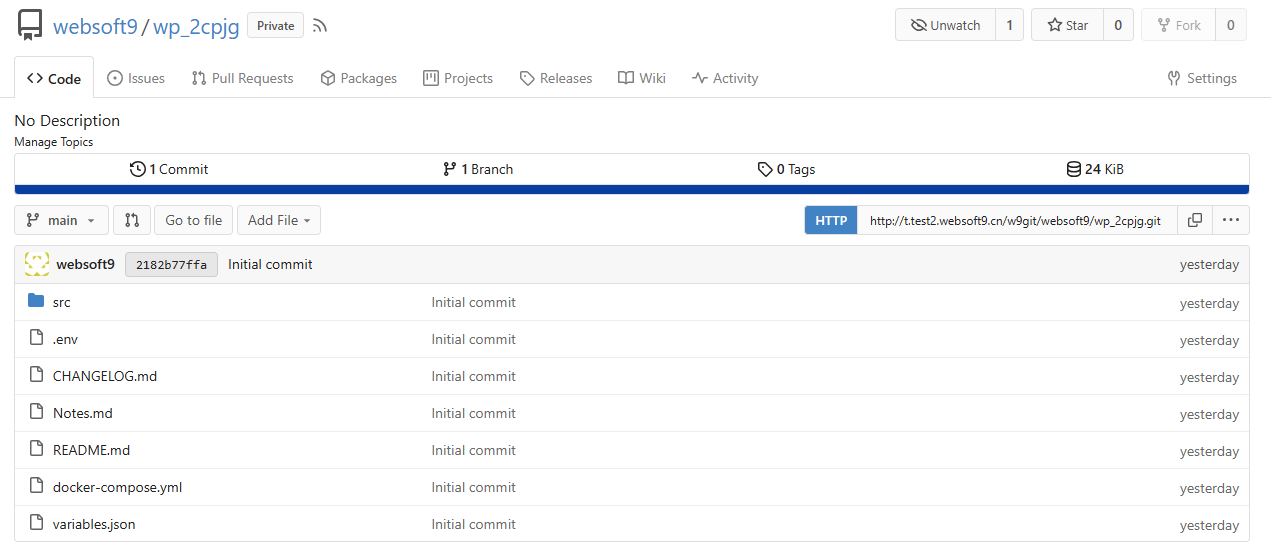
Docker Compose project is stored as git repository at Websoft9 Git, the related files includes:
- .env file: environments for application
- docker-compose.yml file: YAML configuration file all the services defined
- src direcotry: configuration files or other startup file for application
Modify the items at these files and Redeploy application will take effective.
Get started updating your deployment
Step 1: Go to edit repository
-
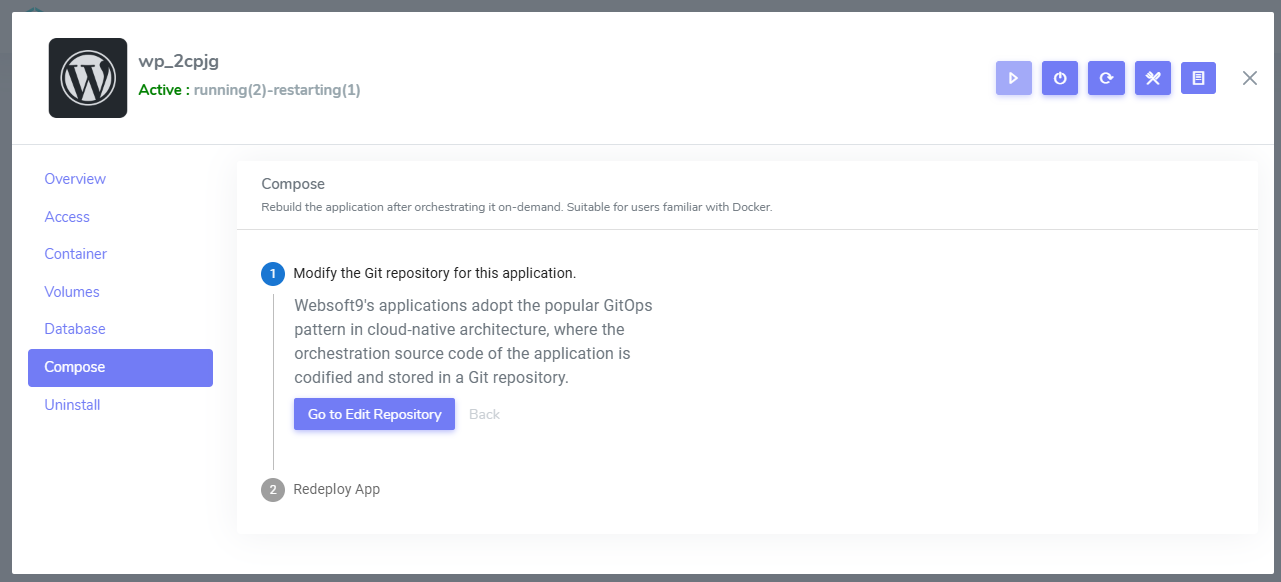
Login to Websoft9 Console and open the My Apps > Application Management > Compose
-
Click the Go to edit repository button, it will skip to files browser page of Git repository
-
Then you can edit any file you want
Step 2: Customized Configurations
You can customized application by git repository file editing interface:
- .env file: environments for application
- docker-compose.yml file: YAML configuration file all the services defined
- src direcotry: configuration files or other startup file for application
If want to modify environments beginning with W9_, you should familiar with Websoft9 App Store templates rules.
Step 3: Delete containers (optional)
You can delete exist containers of application if you want to a fully new application:
-
Login to Websoft9 Console, and click Containers menu
-
Delete below resources
- Delete all containers by Stack memu
- Delete all container volumes by Volumes memu
Step 4: Rebuild the application services
-
Go to the Compose tab of application management of Websoft9 My Apps
-
Click the Redeploy button and waiting for new services take effective
Related docs
Troubleshoot
Environments doesn't take effect?
Description: When I change MYSQL_PASSWORD value at .env file of MySQL applicaton, it not take effect
Reason: This is normal, and the authors of the MySQL container designed it to be so
Orchestration file error modification?
Description: I have wrong modification for .env or yml file, can I recover it?
Solution: Yes, all orchestration files based on git repository, you can recover by git restore
Pull images error when redeploy?
You can try it again or pull images before redeploy by docker compose pull command on your server.