Hosting your WordPress
Websoft9 offer hosting services optimized to meet the performance and security requirements of WordPress sites.
Here are the professional steps for hosting WordPress on Websoft9:
Plan requirements
Enterprise WordPress deployments face a number of specialized business requirements and technical challenges:
-
WordPress multiply sites: Need to support multiple WordPress sites to meet the needs of business.
-
Multi-language support
Three optional multi-language implementations
- Automatic Online Translation
- Page-level multi-language maintenance
- Deploy each language as a separate site
-
Image and Video Separation: Separate static resources such as images and videos from the main site
-
Backup: Provides comprehensive backup solutions, including automatic scheduled backups and manual backups
-
Website Acceleration: Improves website loading speed and user experience through a variety of technical means (e.g. CDN, caching plug-ins, optimized databases, etc.).
-
Monitoring and Access Statistics: Monitor the health status of WordPress and sites analysis.
Deploy WordPress
You can deploy any number of WordPress sites with a one-click from Websoft9 Console:
-
Login to Websoft9 Console and go to App Store page
-
Search keyword "wordpress", find and install it
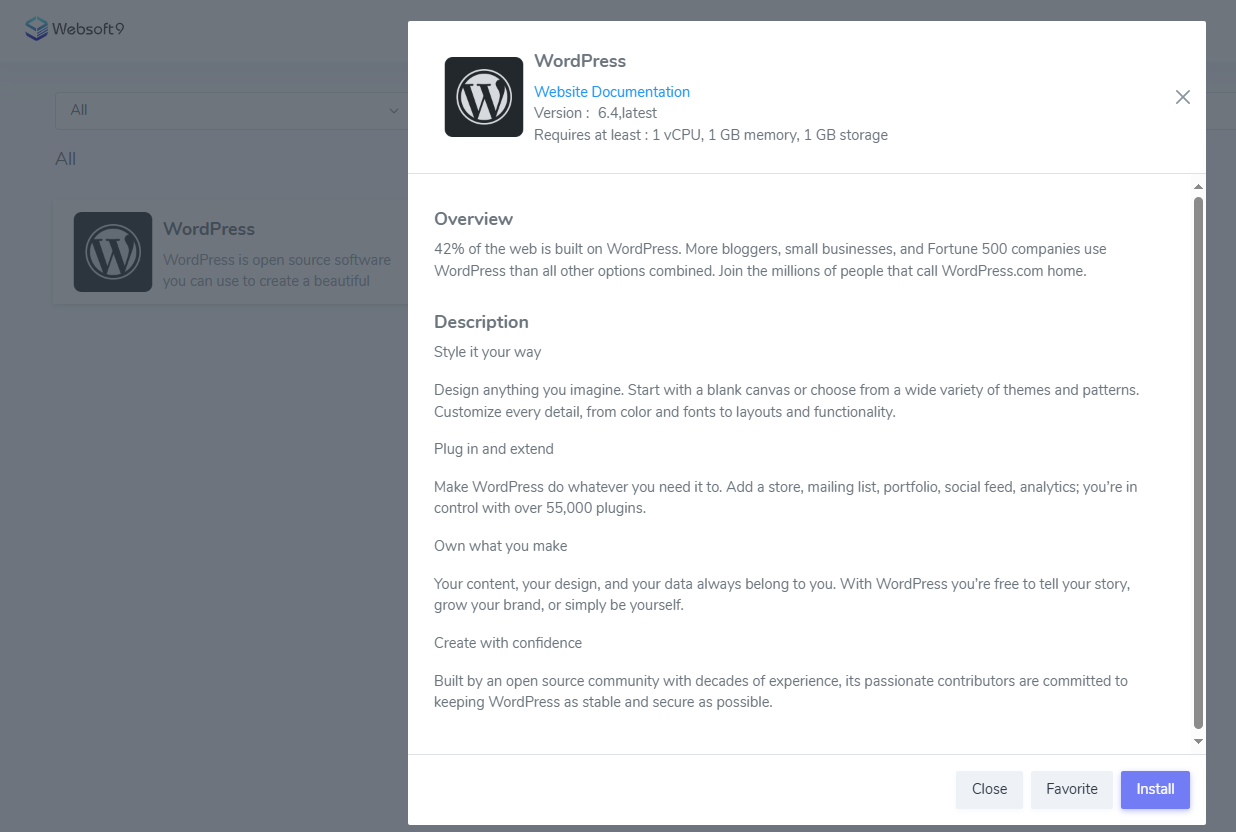
-
Wait 1-2 mins until WordPress running
-
Get the access URL from My Apps of Websoft9 Console
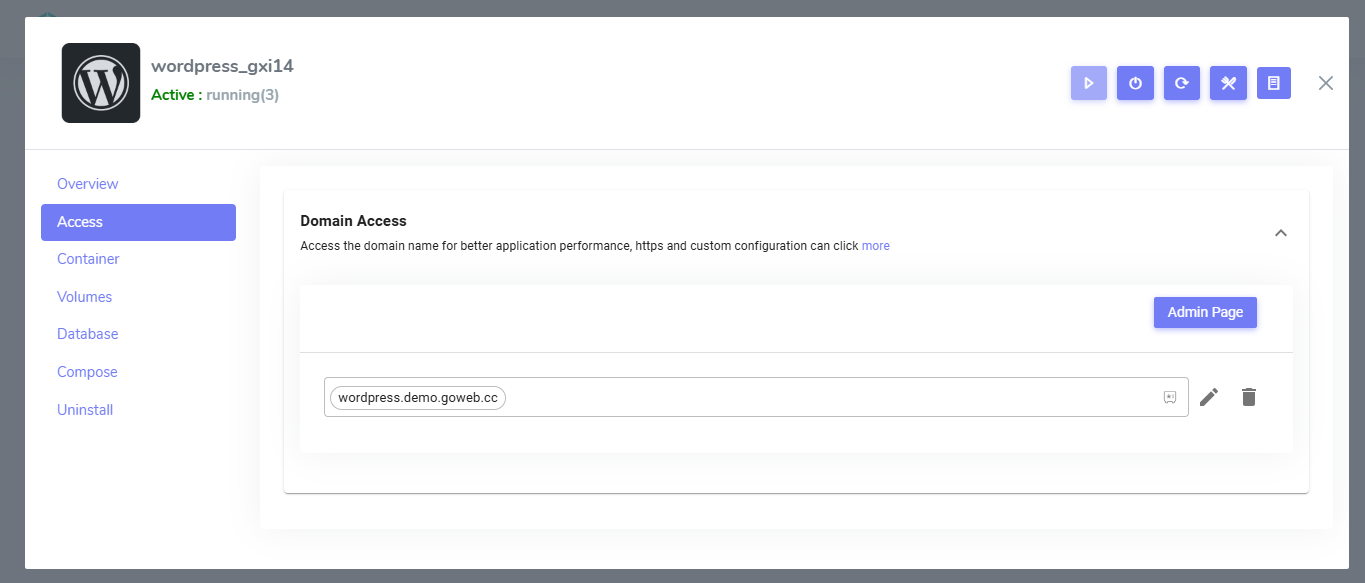
Set domain and HTTPS
Setting up domain access and automatic HTTPS certificates for WordPress is easy through the Websoft9 Console.
For more information, see the related chapter:
Monitor WordPress
Websoft9 Console provide monitoring for your WordPress, includes services status, CPU/Memory usage.
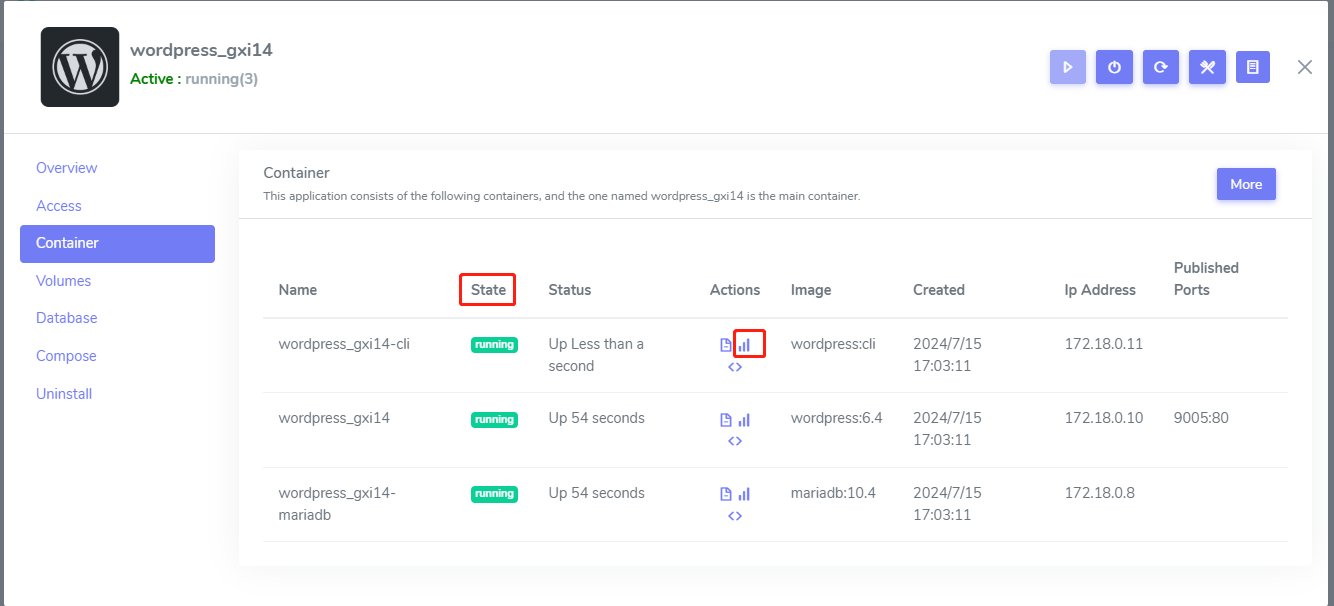
Users are also supported to deploy Uptime Kuma, Netdata and other monitoring tools from Websoft9 App Store.
For more information, see the related chapter:
Site Analytics for WordPress
Although WordPress have statistics plugins, but there are problems with using plugins:
- Uses up computing resources in the WordPress container
- No centralized dashboard for statistics
- The specialization of the plugin is not comparable to that of professional statistics software.
You can install free Open-Source Web Analytics like Plausible, Umami, Matomo from Websoft9 App Store.
Support WordPress from Websoft9
Websoft9 Support for WordPress is an extension of your business. Fast, secure, feature-rich hosting that makes your work so much easier. Built for WordPress websites and agencies worldwide.